

Guidelines
How to create your account?
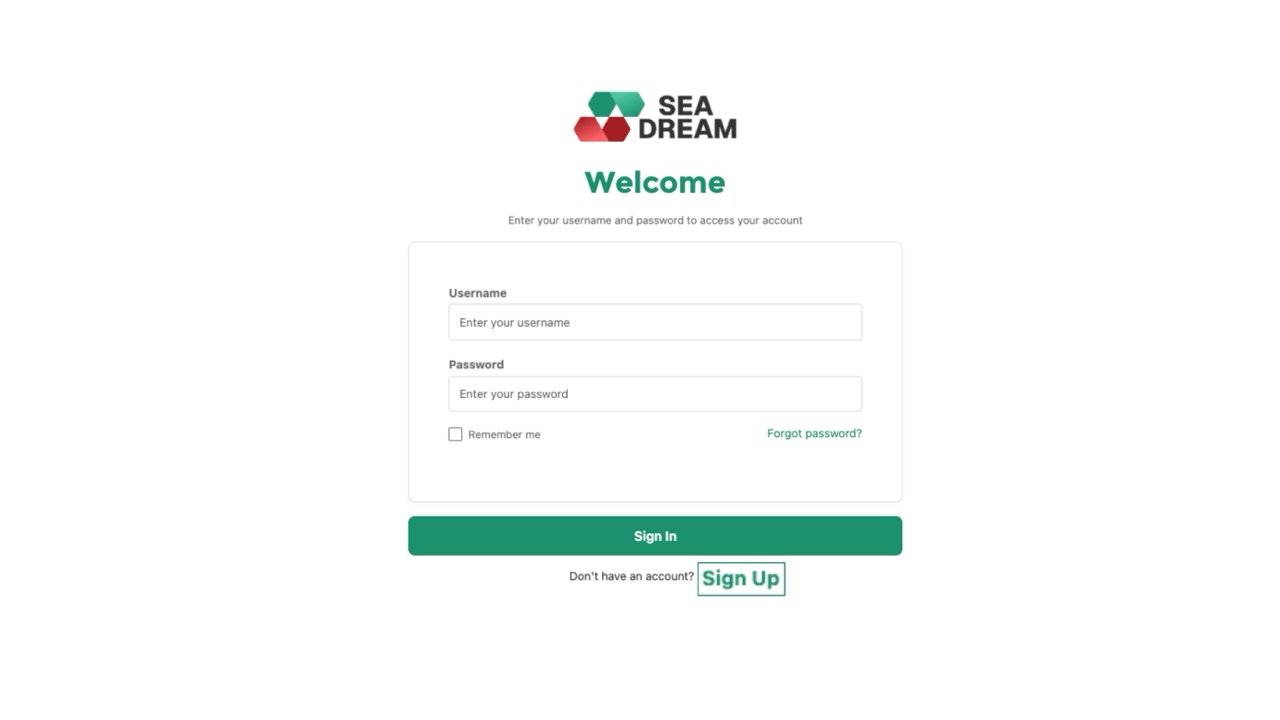
Step 1.
To sign up for the SEA DREAM Application Portal, click Sign Up.
Step 2.
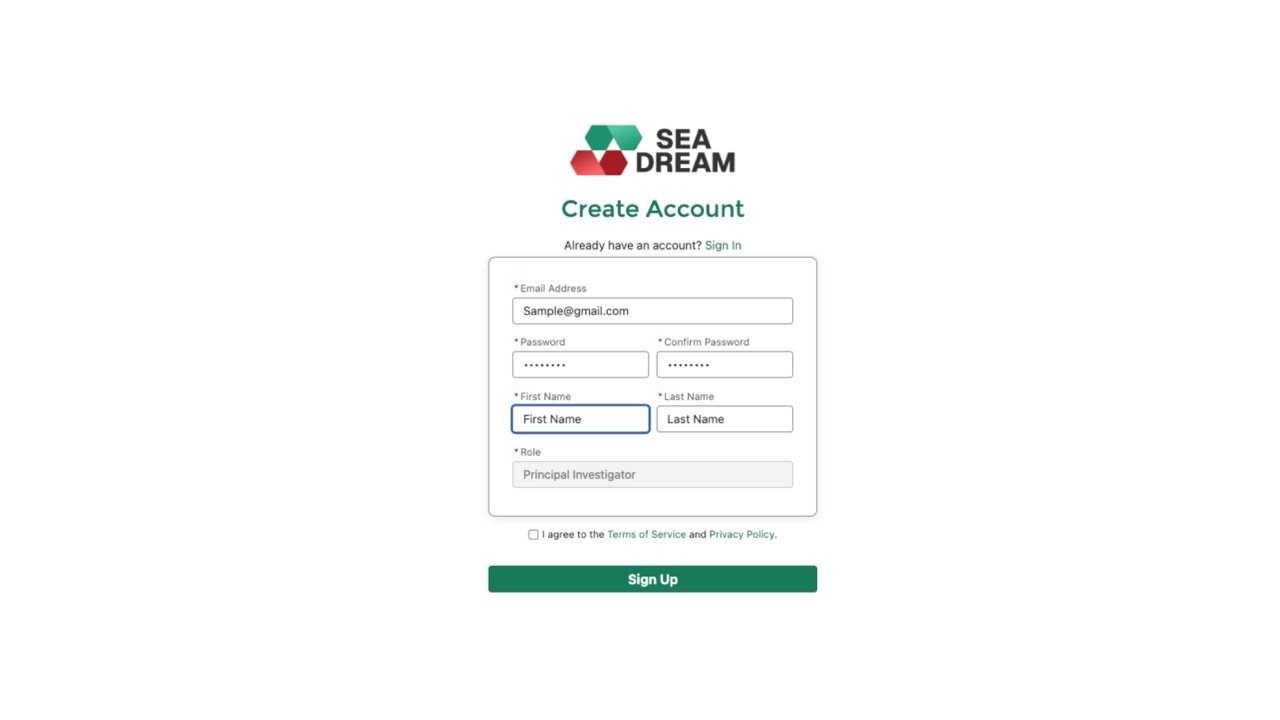
Fill in the required information, including your e-mail, password, first name, and last name.
To register, you must agree to our Terms of Service and Privacy Policy. Once all required information is complete, click Sign Up.
Step 3.
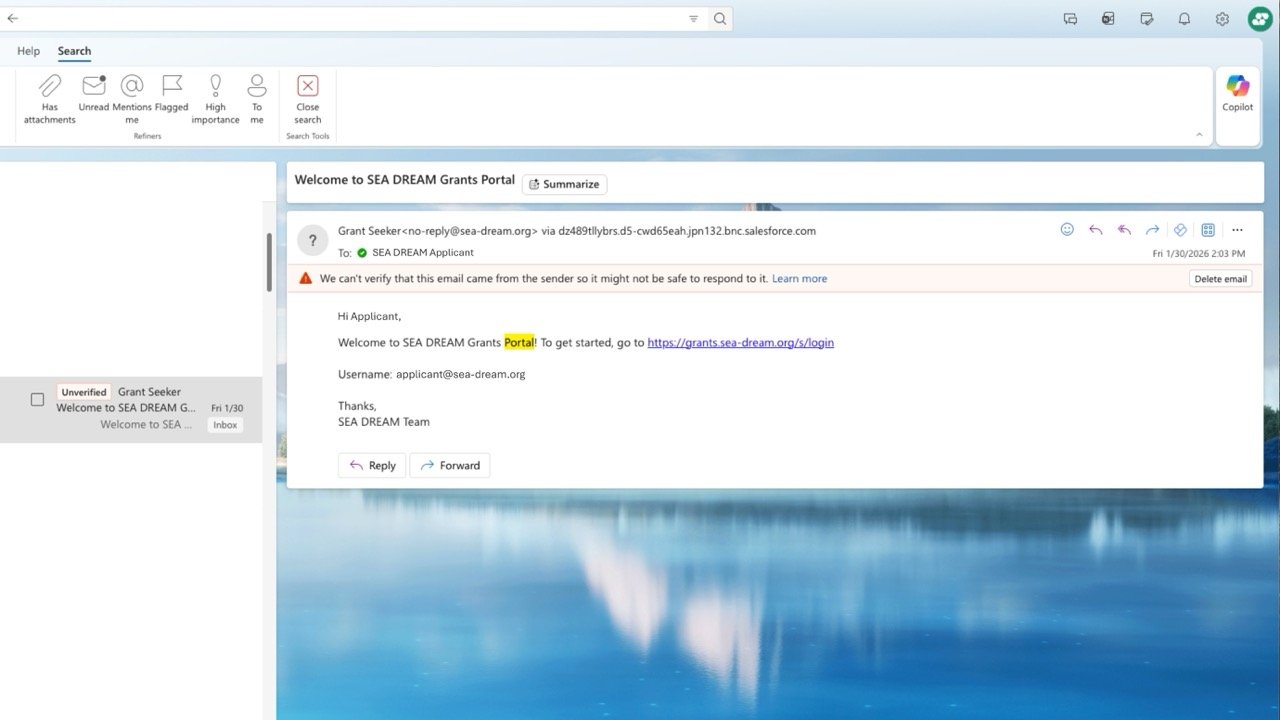
Once registration is complete, you will receive a welcome e-mail. In the e-mail, you will see your username.
Step 4.
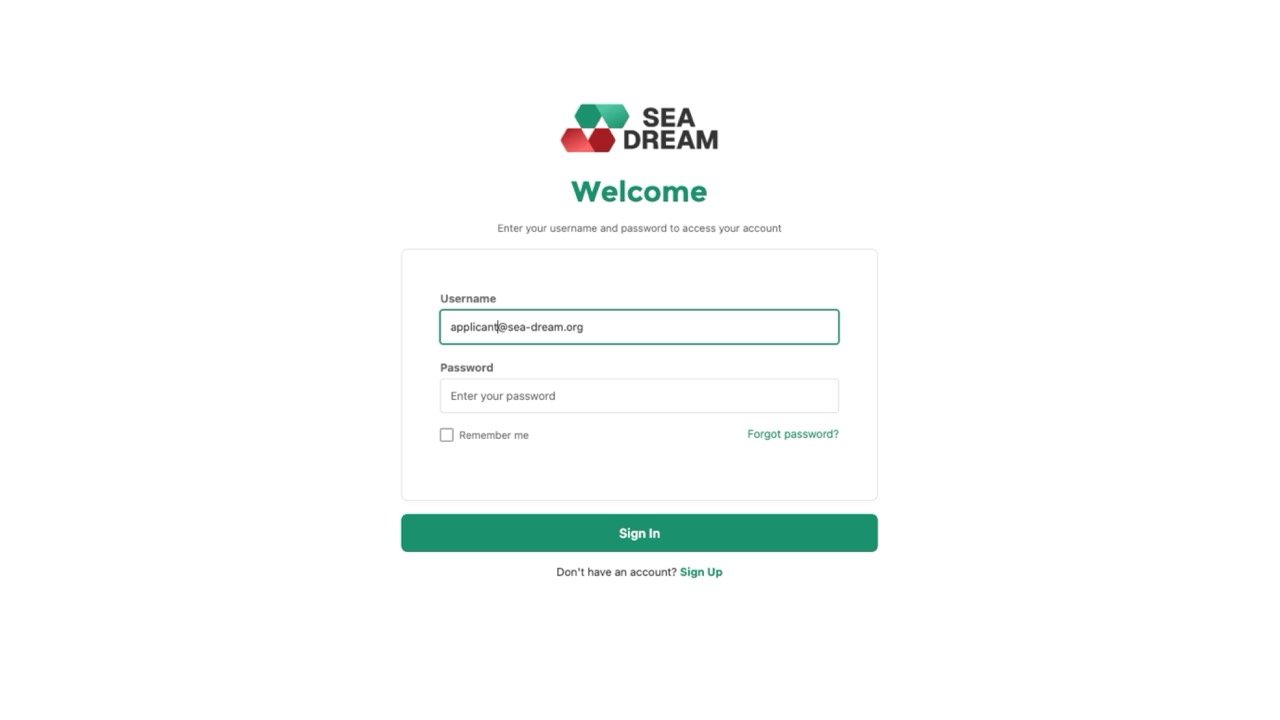
To log in, use your username and go to the login page. Enter your username and password, then click Sign In.
Step 5.
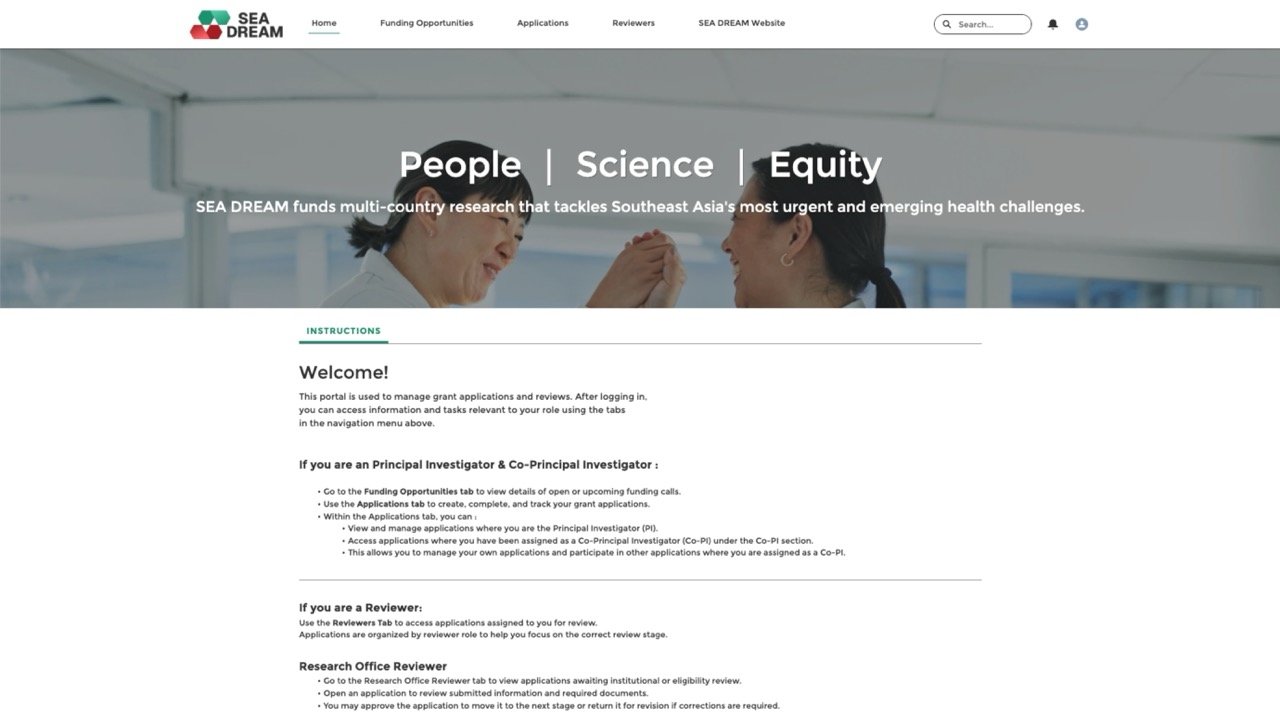
After you sign in, you will see our homepage. You can view the greeting message and read the instruction details provided.

Get In Touch
Subscribe To
Our Newsletter
Stay up to date with our latest funding,
news, events, and announcements.