

Guidelines
How to submit your preliminary application?
Step 1.
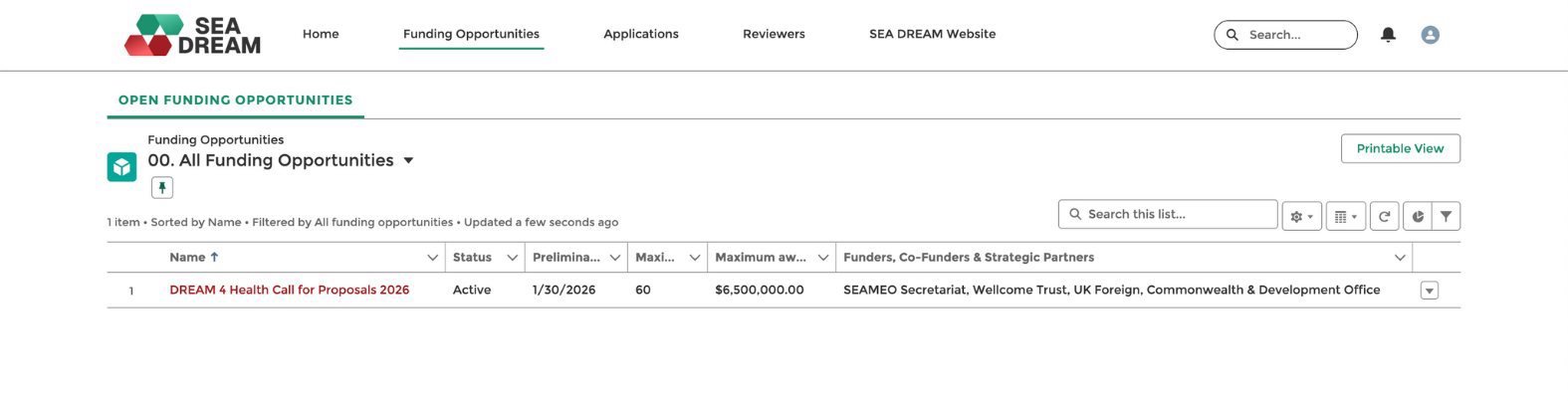
To apply for funding, please go to the Funding Opportunities tab. You will see the funding list and can select the DREAM 4 Health Call for Proposals 2026.
Step 2.
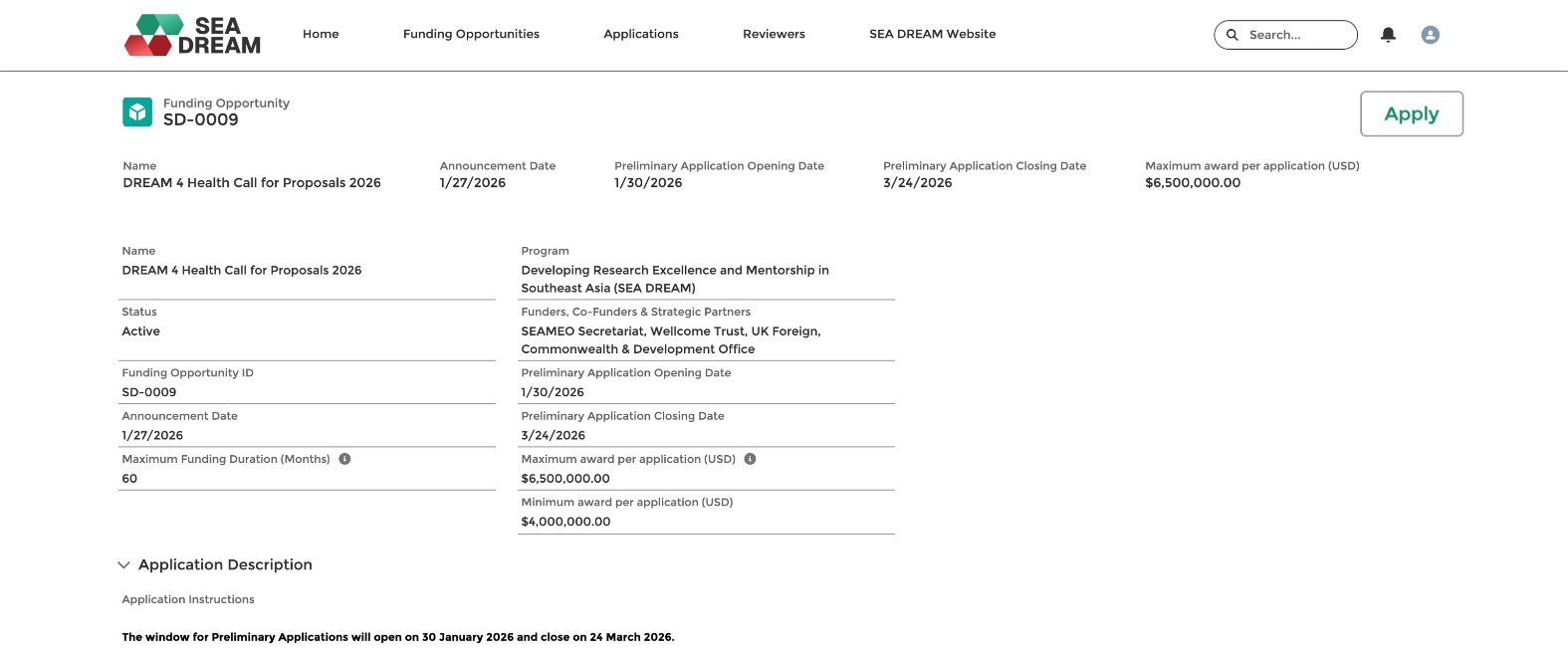
Read the funding overview. Click the Apply button, and the system will open the application form.
Step 3.
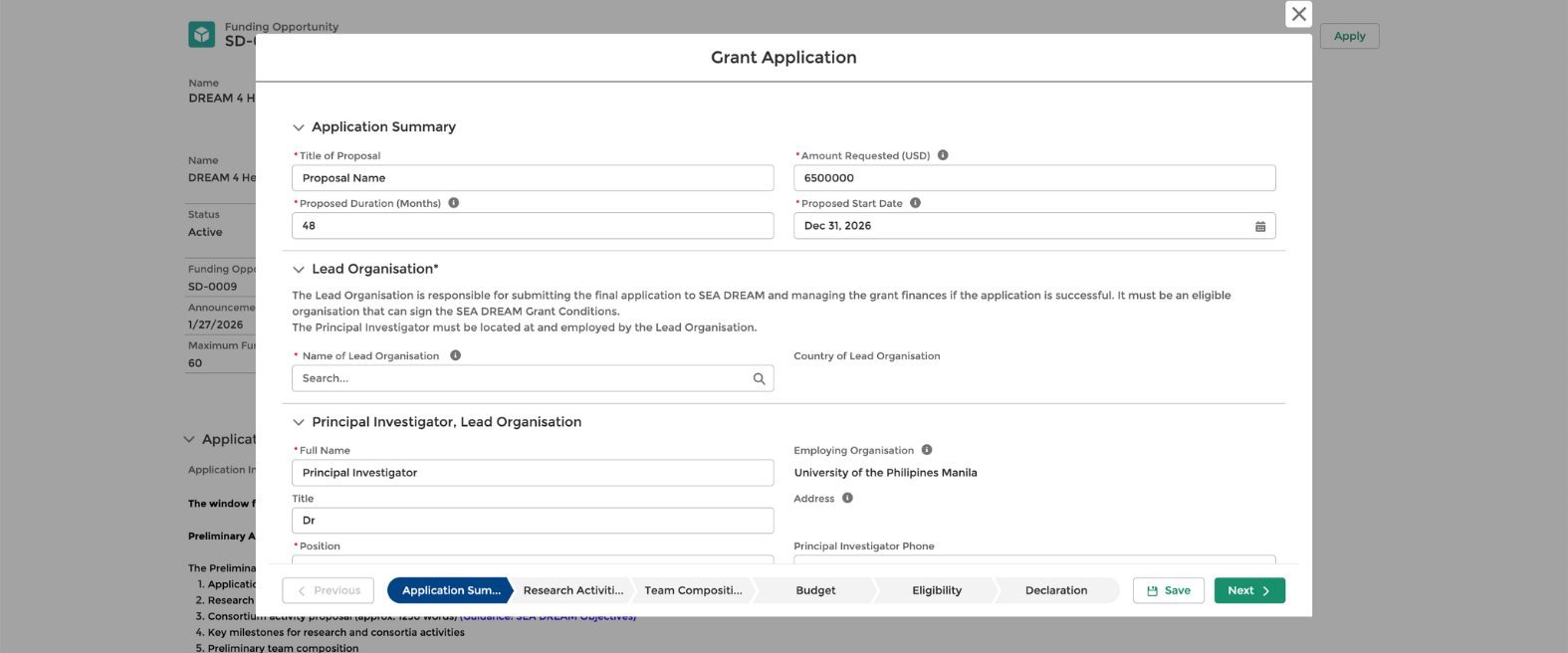
Fill in the application form details, including the title of the proposal, the requested amount, purpose, duration, study focus, and your organization.
Step 4.
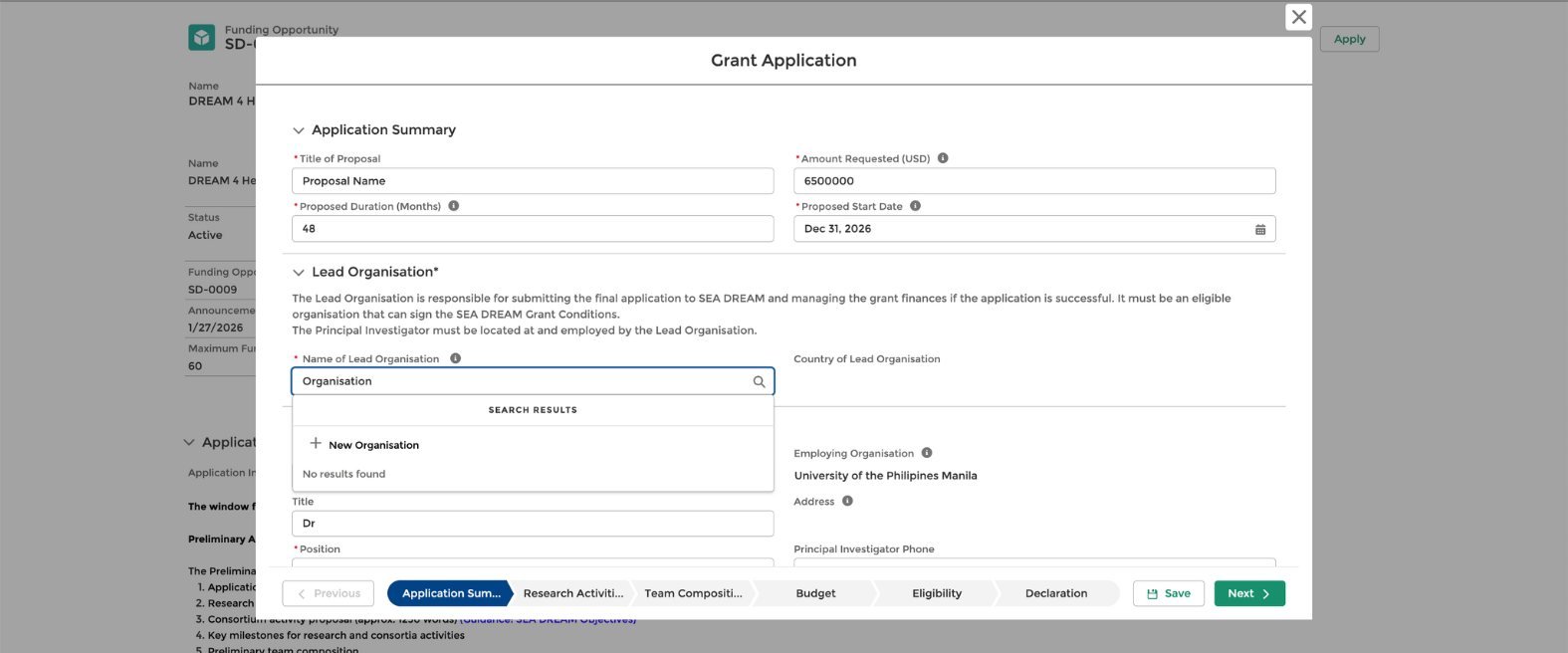
If you are searching for your organization but cannot find it, you can add a new one by clicking the New Organization button. Enter the organization name, address, and country, then click Save.
Step 5.
Continue filling in the other sections, including your personal details: full name, title, position, e-mail, phone number, and principal investigator details.
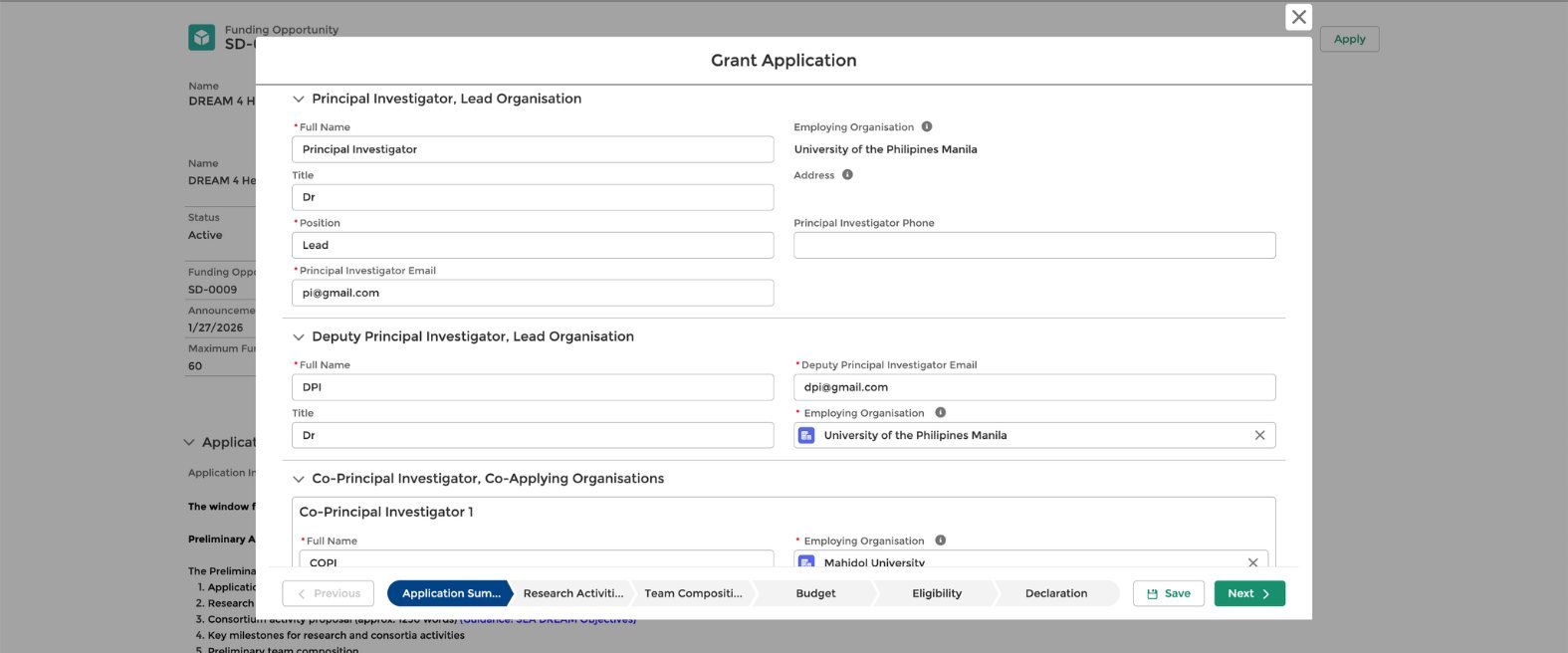
Step 6.
Add the Co-PI information if you have more than one co-investigator. Click Add Co-PI, then select your research thematic areas to ensure you do not lose any data.
Click Save, then proceed to the next section to enter your proposal details. Once complete, click Next.
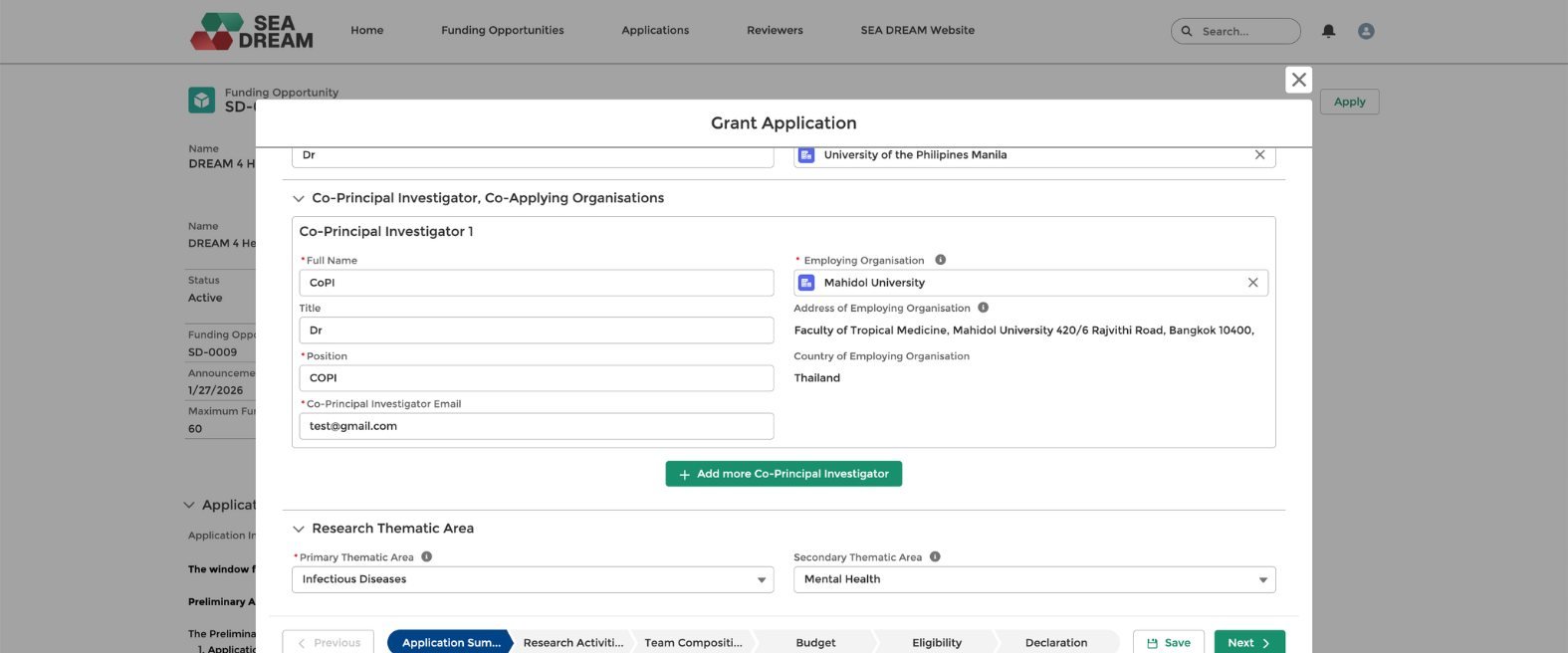
Step 7.
After completing your application form, you need to provide details on the following:
- Research activities
- Team composition
- Budget
- Eligibility
To return to a previous section, click Previous. You can edit any details in each section.
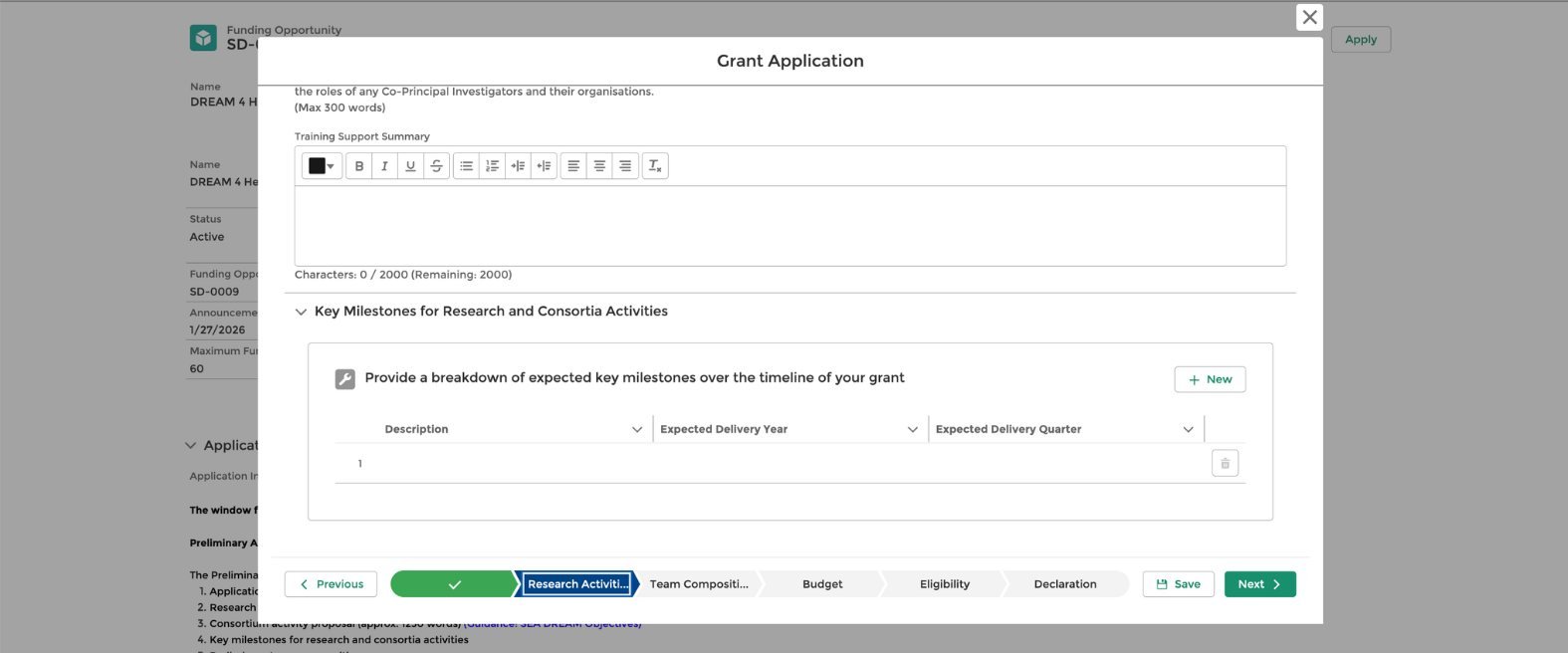
Step 8.
Under the eligibility section, do not forget to click Yes to confirm that all individuals named in the application have agreed to participate in the proposed activity and have consented to the inclusion of their details in this application.
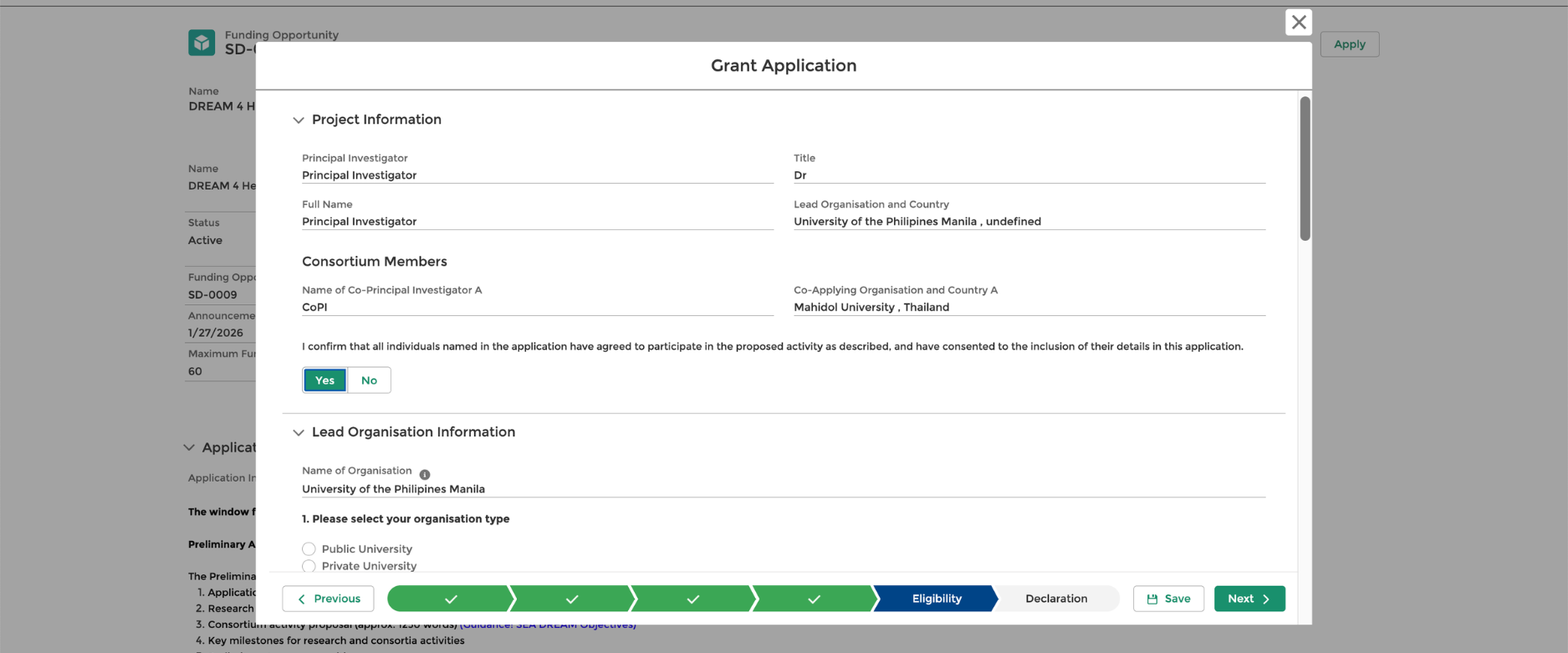
Step 9.
Before submitting your application, enter your full name (the same name you used during registration) in the application summary section. When done, click Next.
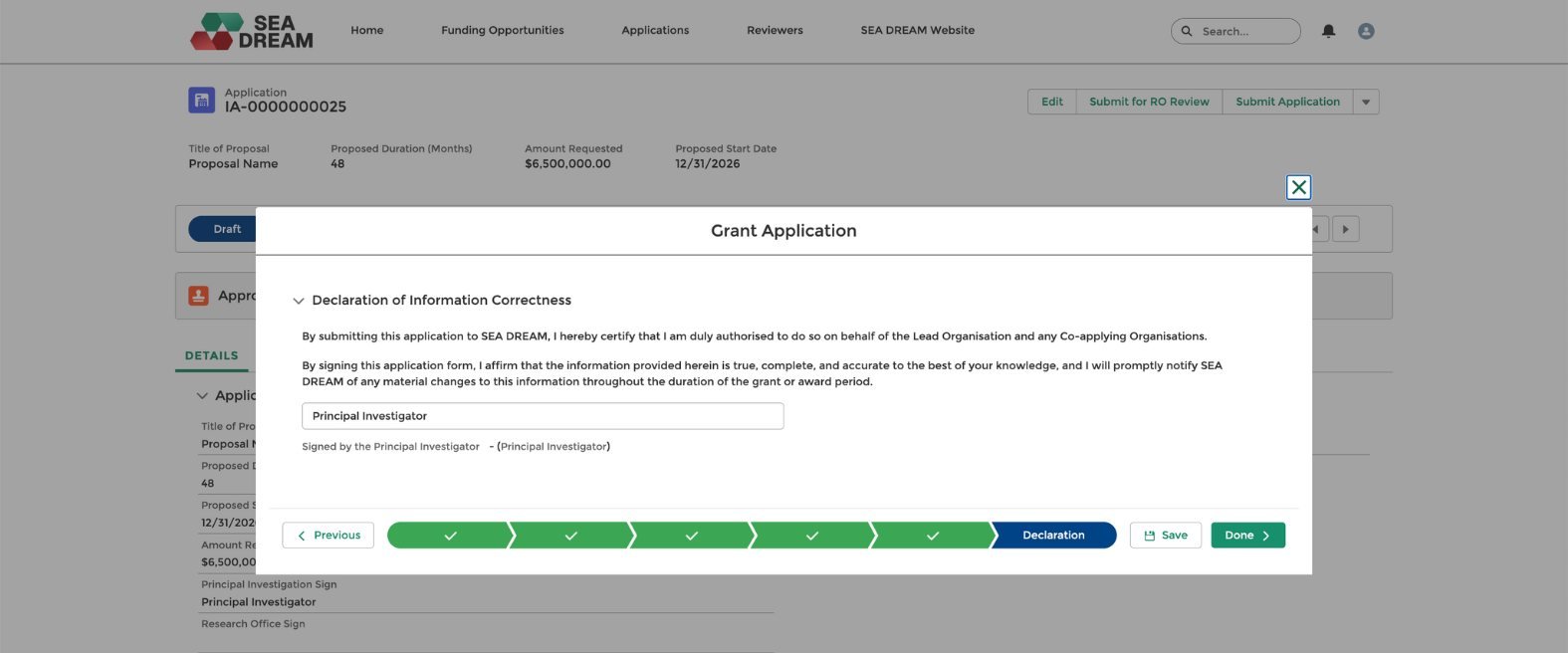
Step 10.
After that, you will see the details of your application, including your Application Number at the top left.
If you notice that something needs to be changed, click Edit, and you can return to the section you want to review.
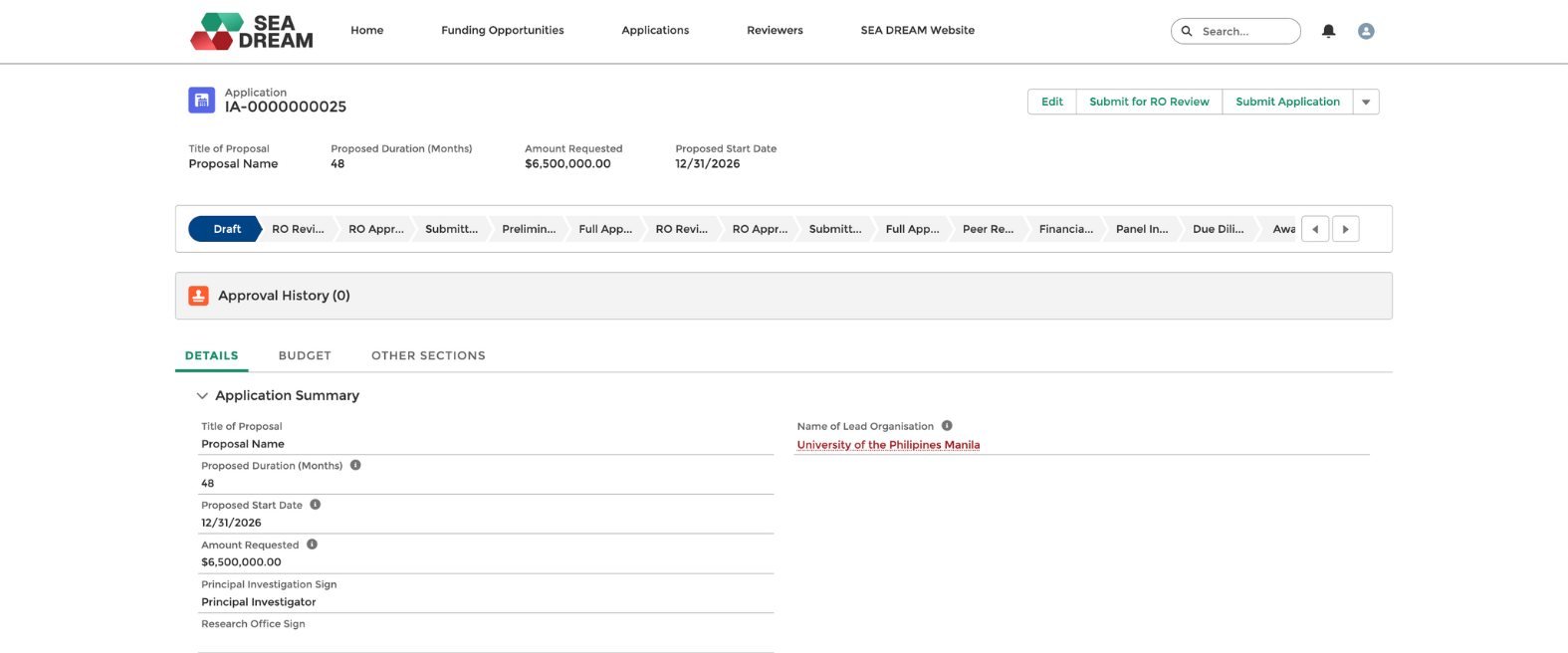
Step 11.
Next, applicants need to invite a Research Office to review the application. To invite them, click the Send Invitation link to the Research Office and enter the Research Office e-mail address. Then click Send Research Office Invitation.
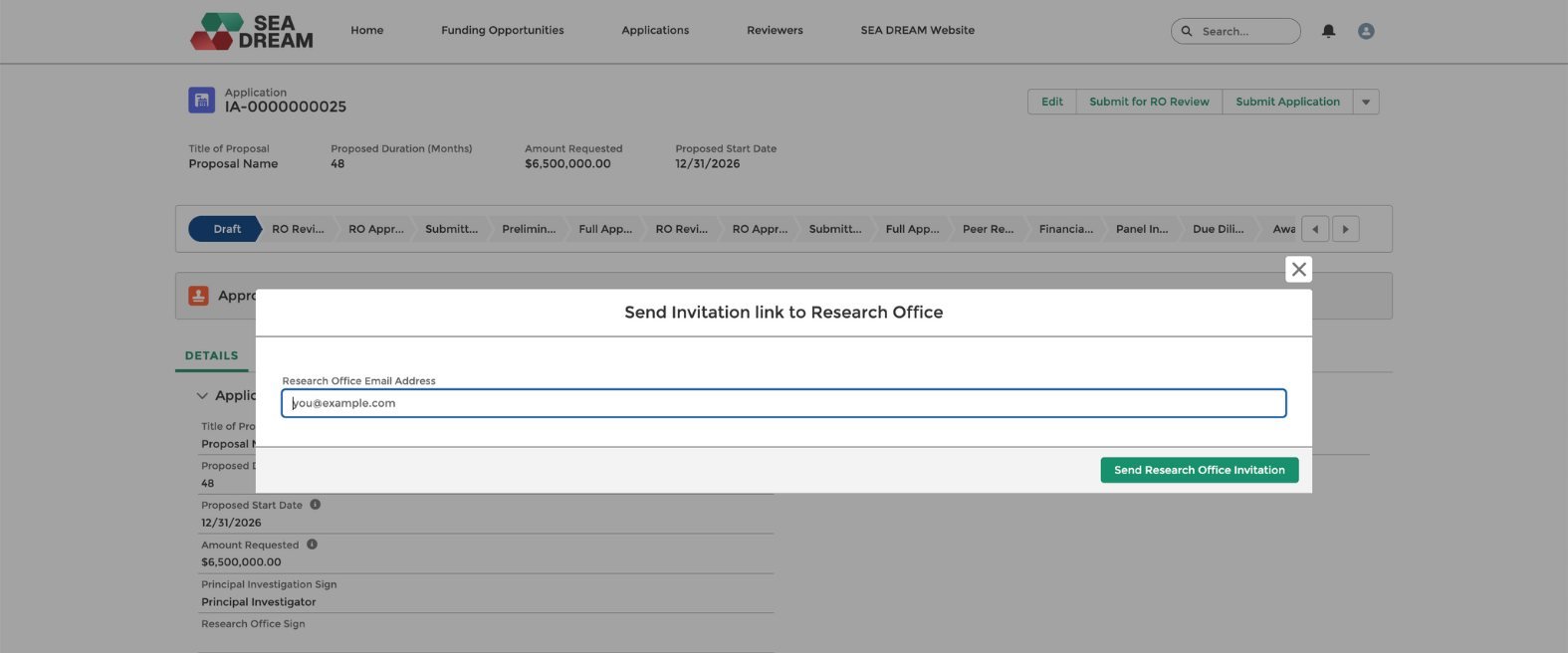
Step 12.
Once the invitation is successfully sent, you will see a confirmation message. At this stage, the Research Office will receive a registration Email to set up their account and sign up.
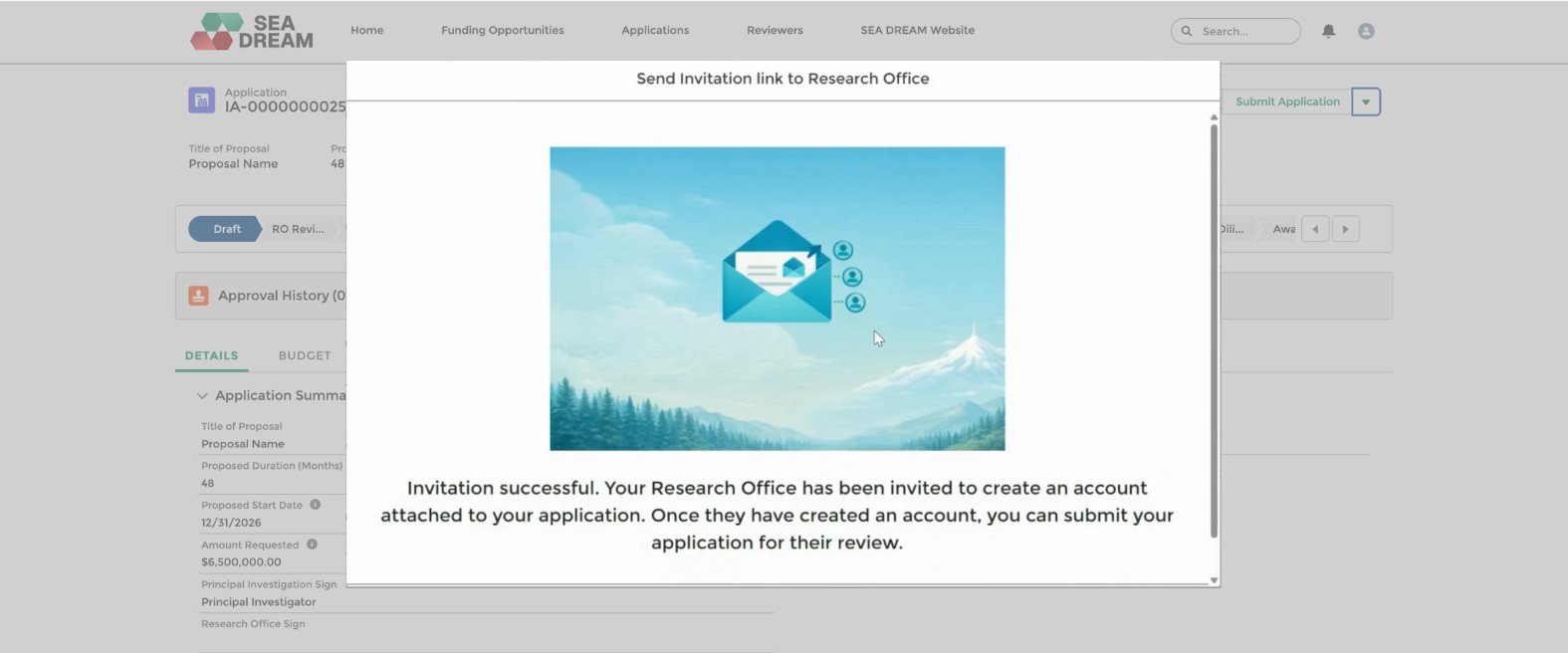
Step 13.
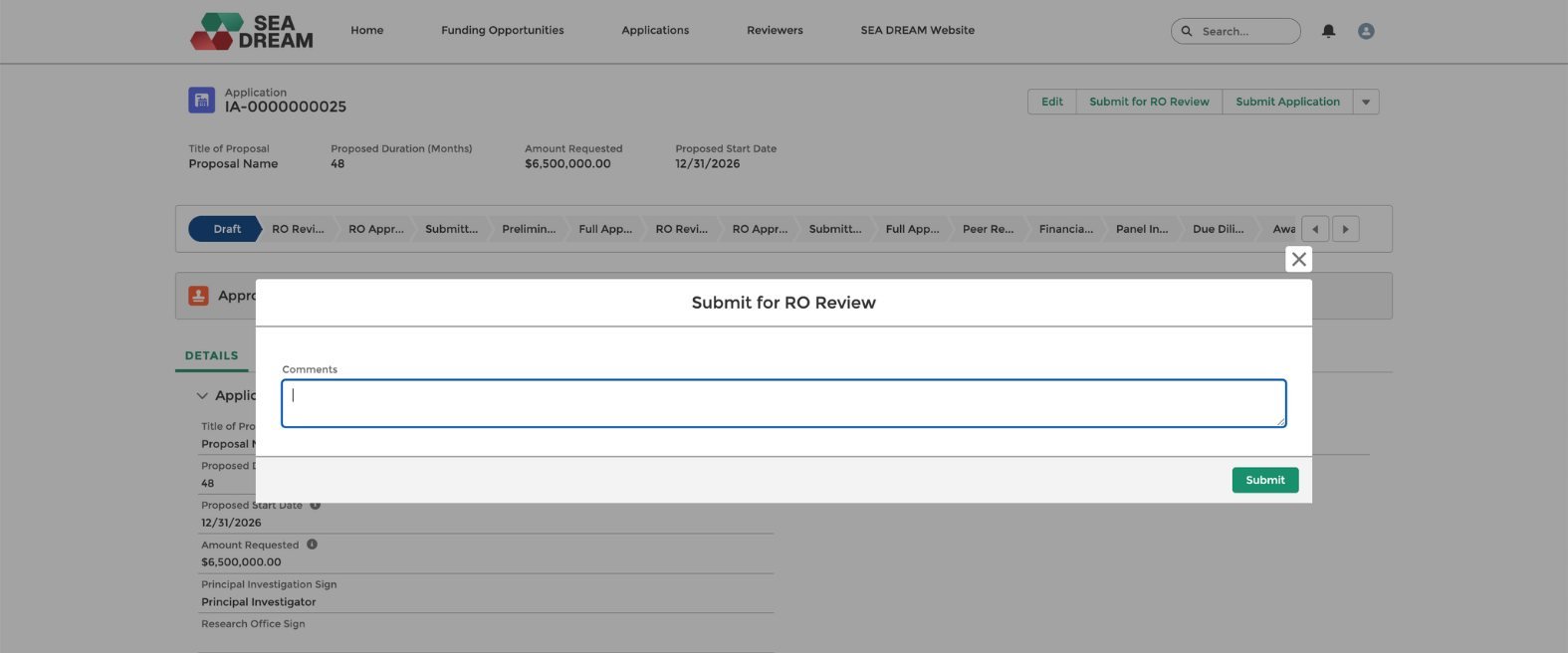
Continue completing your application. Once ready for RO review, you can add your comments for the Research Office Review and click Submit.
Step 14.
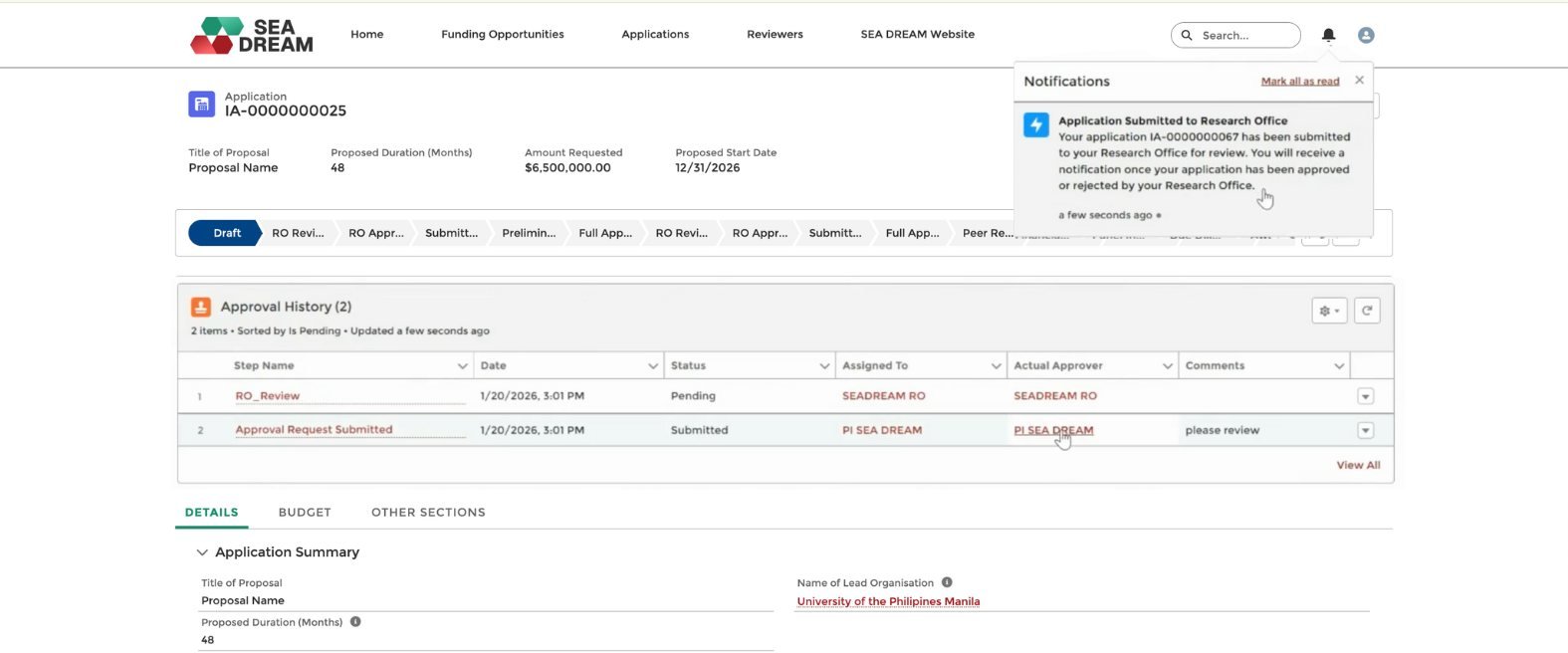
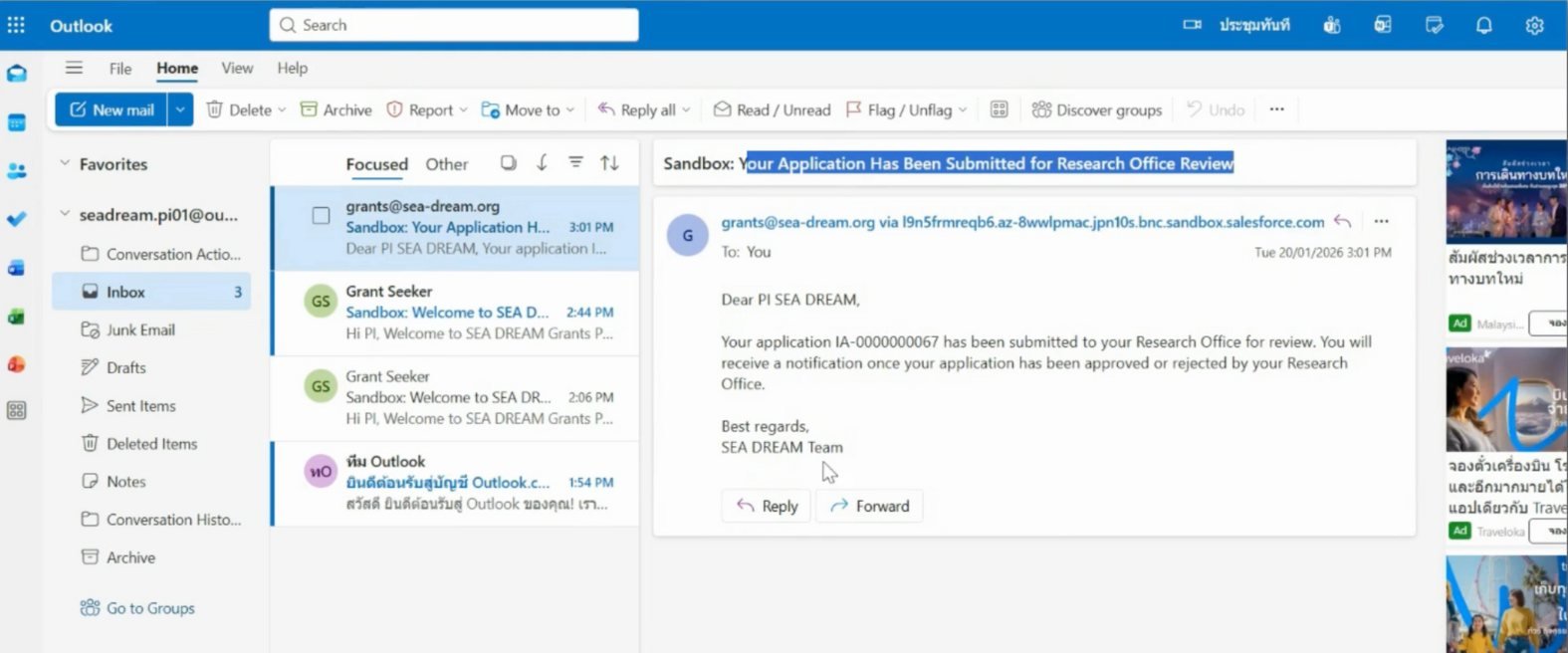
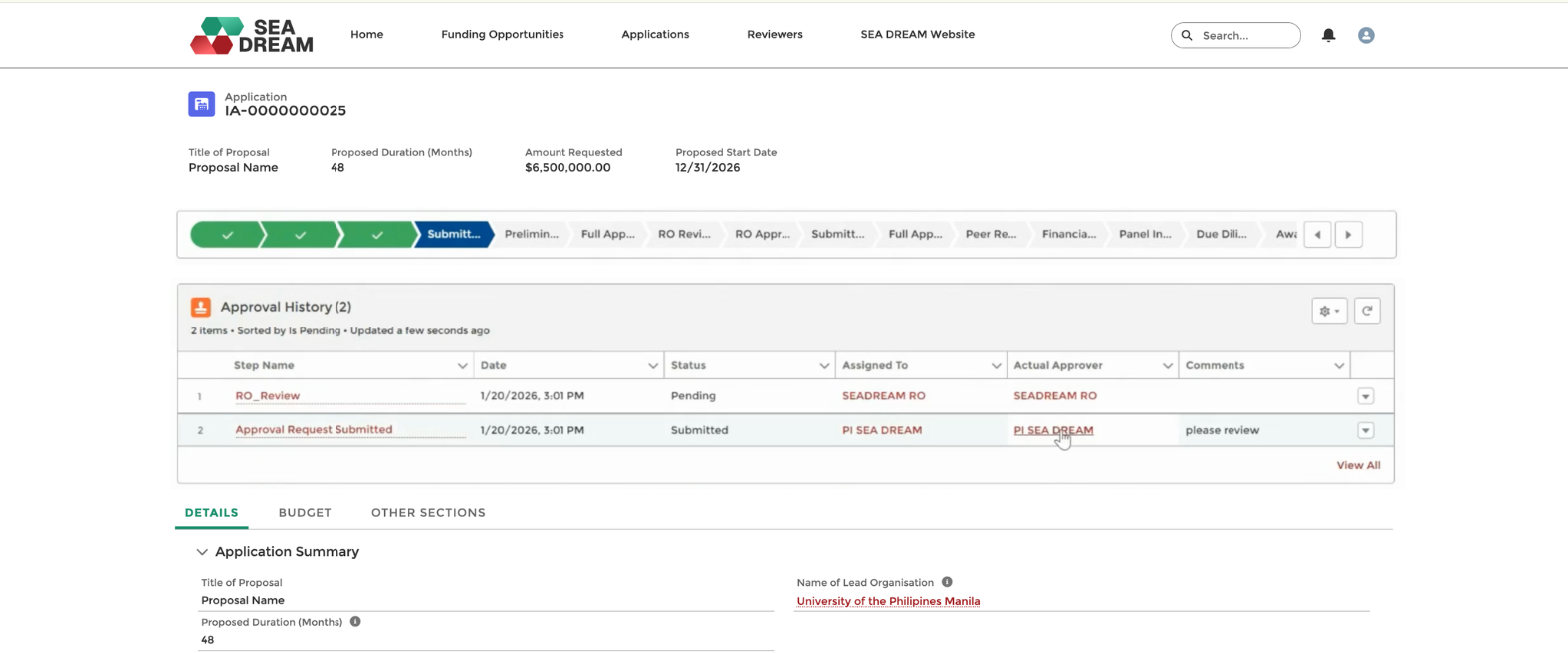
You will see the approval history showing that your application has been submitted and is now pending Research Office review. You will receive submission confirmation messages via portal notifications and e-mail.
Step 15.
If the Research Office approves your application, you will receive an e-mail notification in your inbox confirming that your application has been approved.
Important: While submitted for RO review, the PI will not be able to edit the application any further. Should edits need to be made, the RO has to reject the application and the PI will have to re-submit after making adjustments.
Step 16.
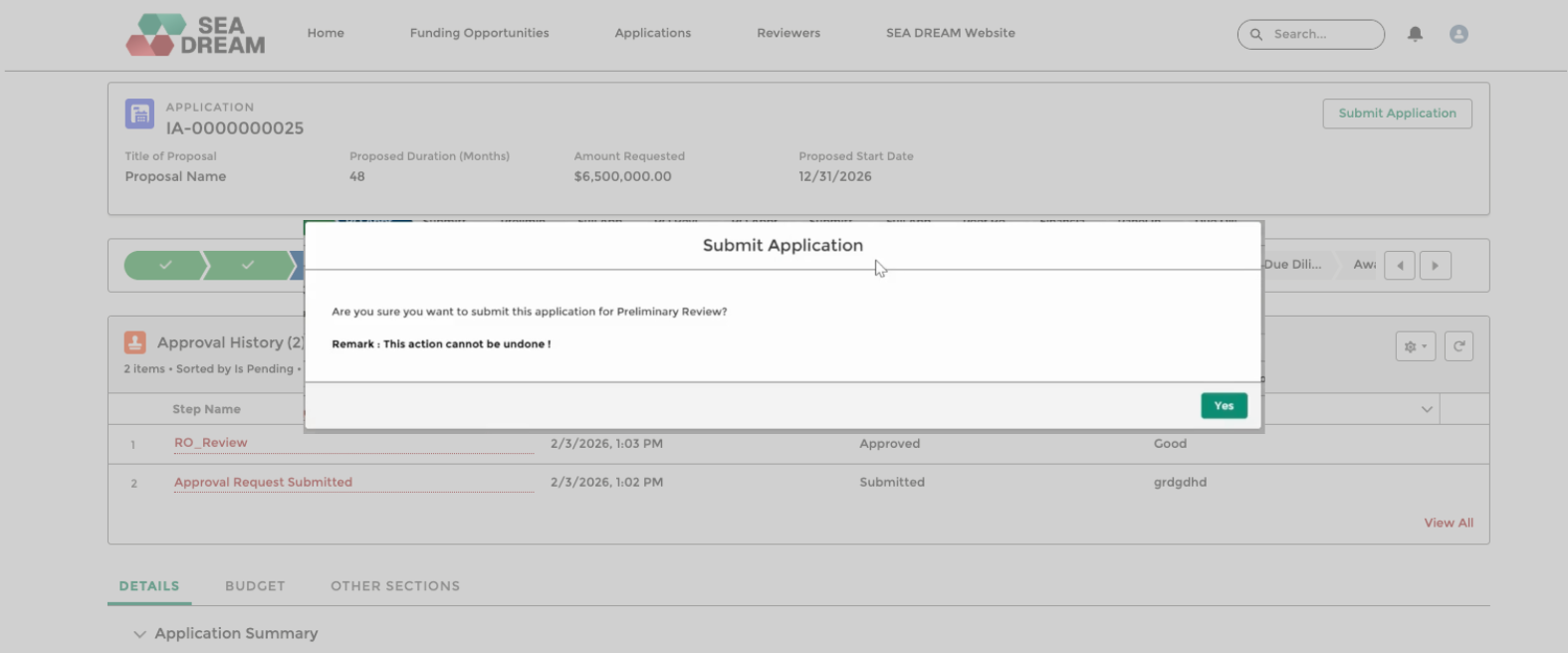
For the final step, log in to your account. Then click Submit Application and confirm by clicking Yes.
Step 17.
The application status will change to Submitted (Preliminary Application).

Get In Touch
Subscribe To
Our Newsletter
Stay up to date with our latest funding,
news, events, and announcements.